
Signed on upload
Each package carries its own signature
Agents are uploaded as sealed packages and the platform verifies the signature on entry. An unsealed archive may also be uploaded, but it is marked unverified and is not treated as a release.
Product · seven screens
The entry point, the permissions and the ledger are spread across seven screens. Employees use the first four daily; administrators oversee the last three. Staff who do not know how to prompt can follow a workflow or bring in an AI team already divided by role.
Workbench
Employees install no environment and obtain no keys. The workbench guides them through a workspace request, and they enter the project once an administrator approves it.
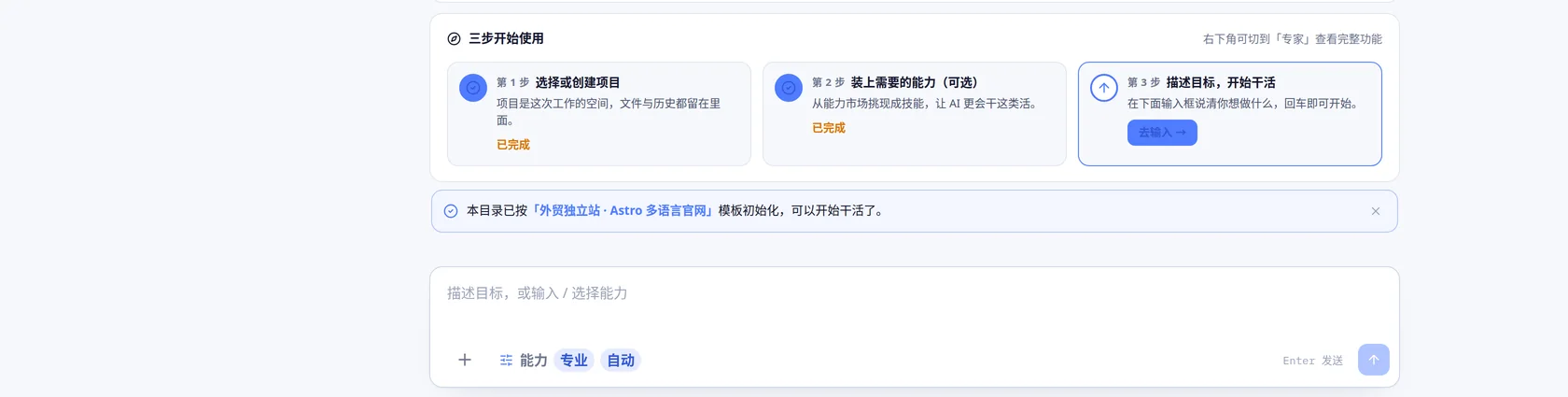
Workspace
The workspace is the project's own environment. Files, context, tools and execution records live inside it, and a colleague can be added to the same workspace and continue.
Each workspace is a bot dedicated to a single project: it holds that project's files and history, it runs whatever capabilities are installed into it, and anyone on the team can assign it work. A bot in this sense is not a chat window that discards the context; it retains the project across sessions and across the people working on it.
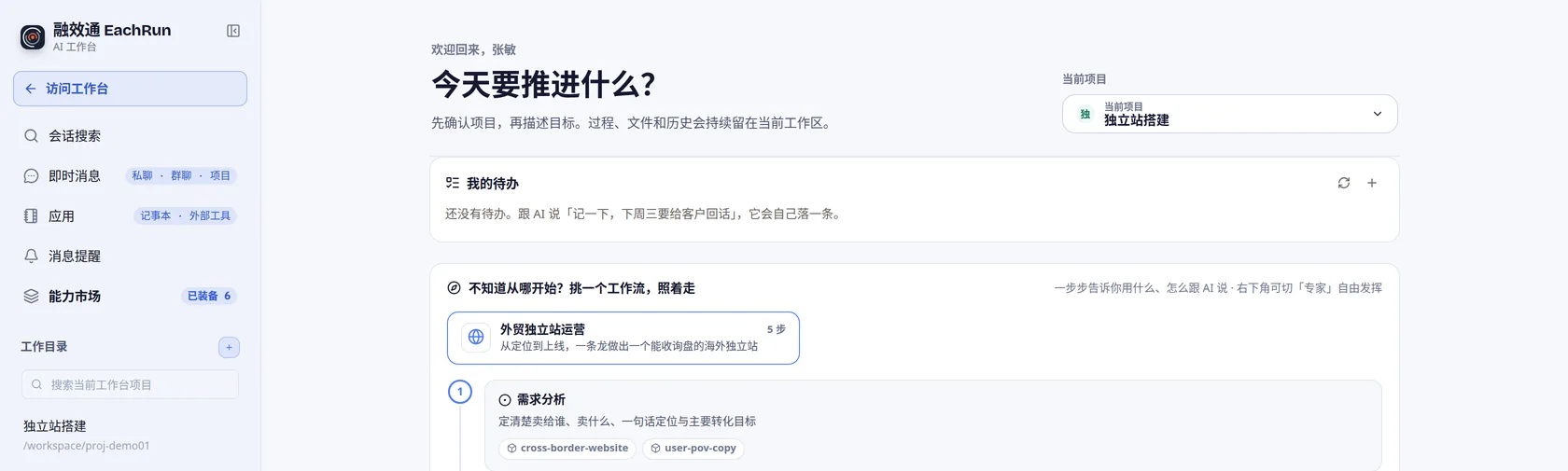
Runtime
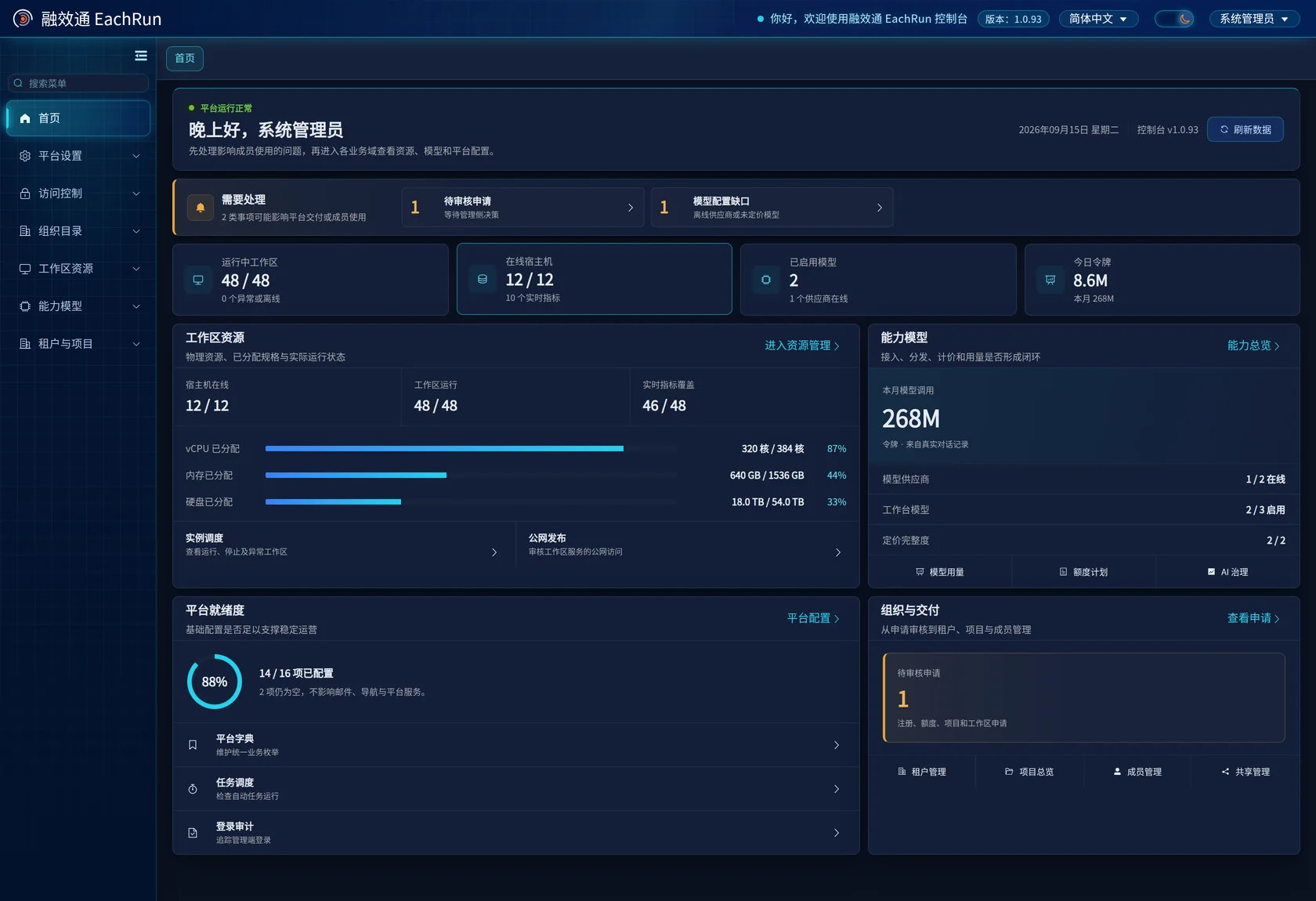
Each workspace corresponds to actual vCPU, memory and disk quotas running on your own hosts. Administrators can see what was allocated and what is in use, and can expose a service running inside a workspace by port.
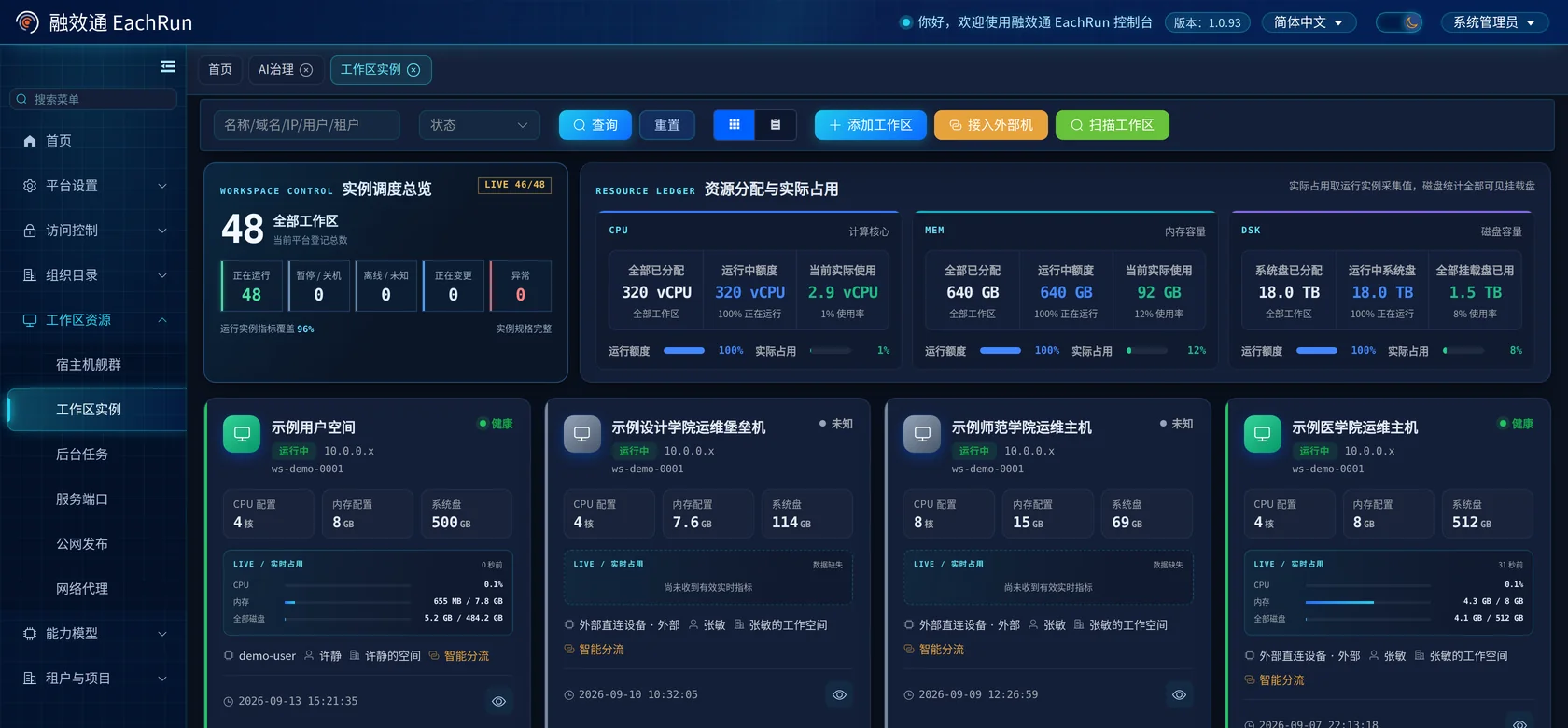
Discover
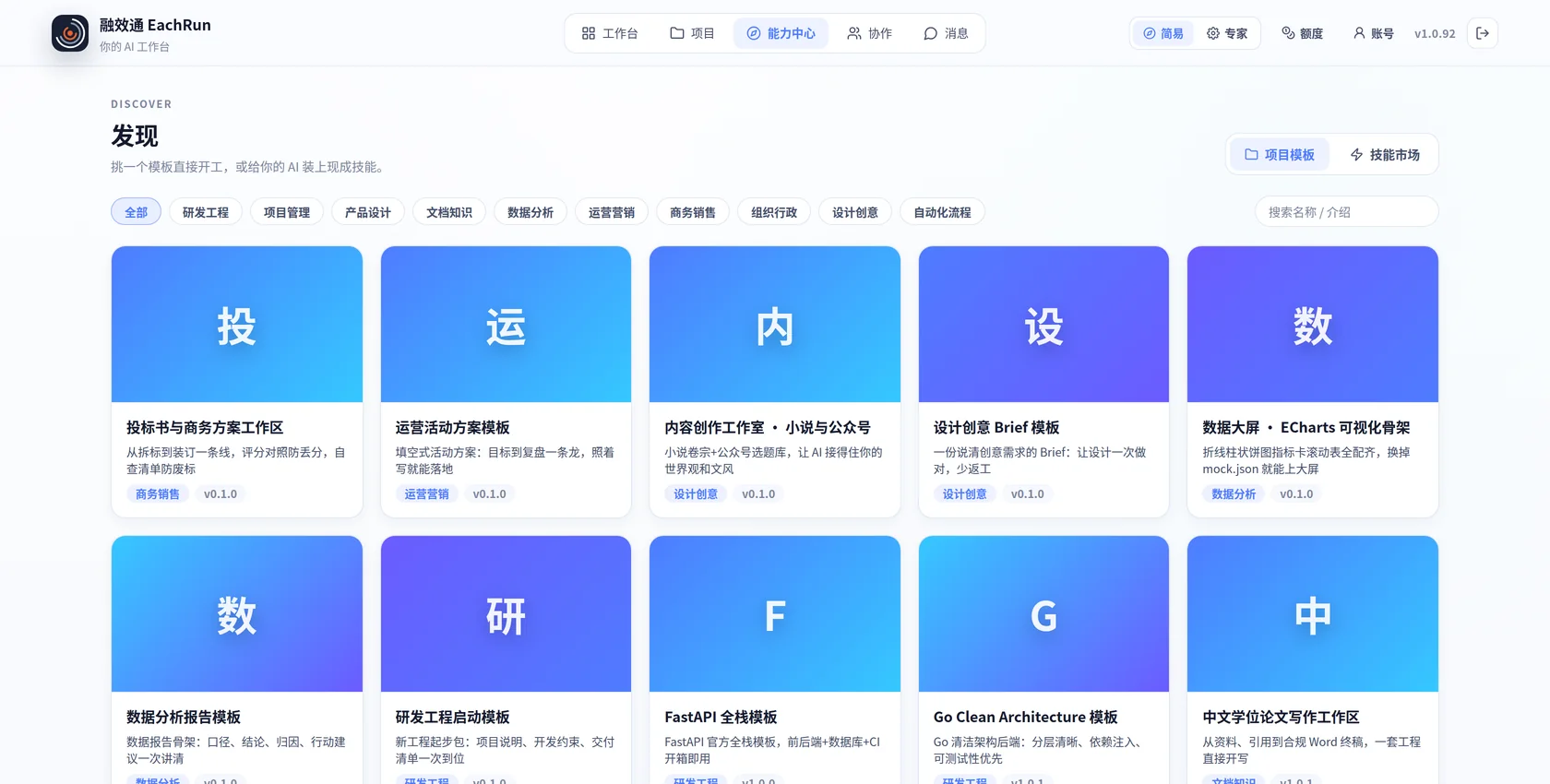
Employees see only the capabilities connected by the company and allowed for the current project. They can switch models or agents without moving project files elsewhere. CLI agents such as Claude Code, Codex and Cursor are connected centrally, and the project context is retained through the switch.
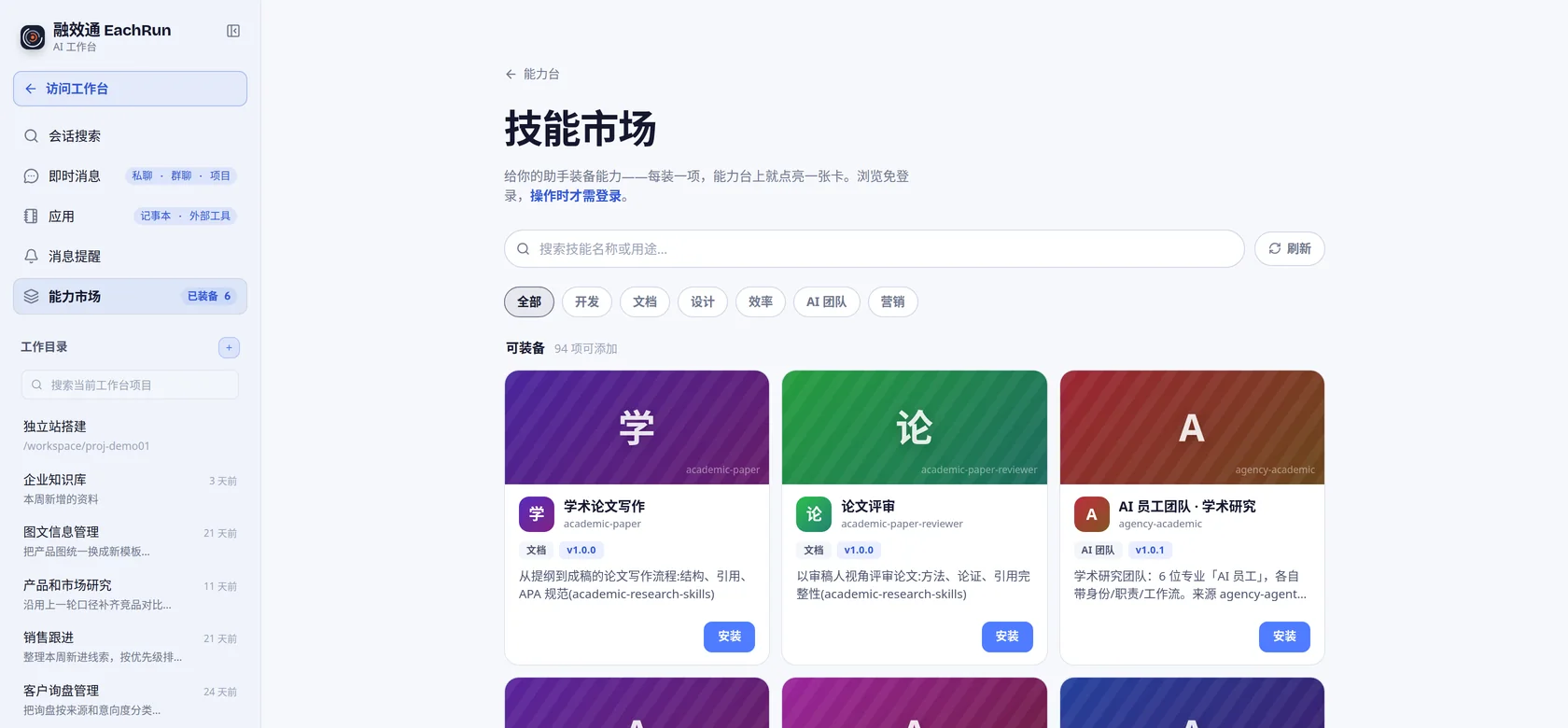
Share center
The team can publish prompts, task templates and processes to the share center. They remain available when people change roles or leave the project.
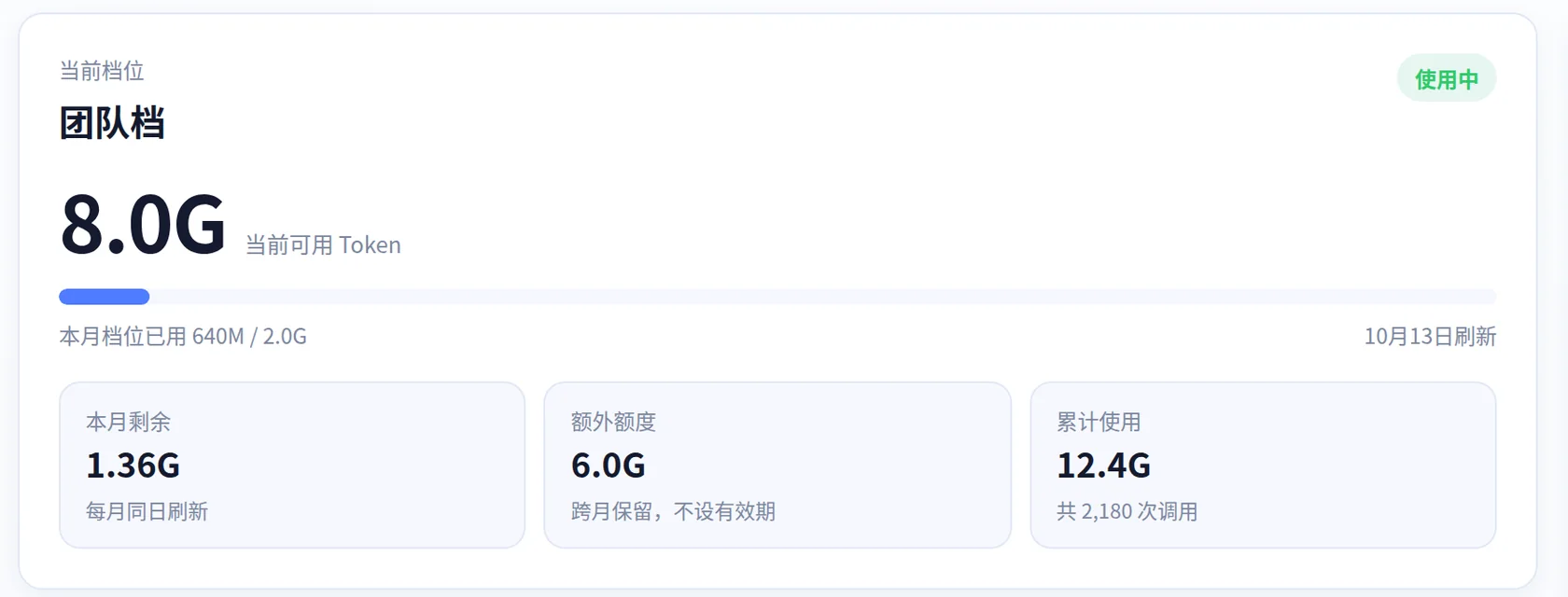
AI quota
Quota is assigned by user and plan. Employees see what remains, while administrators can review usage by workspace, project, runtime and model.
Agent market
An agent is built once, sealed, and published to the platform. Which workspaces may install it, and which version they get, is decided centrally rather than by whoever happens to hold the file.
Signed on upload
Agents are uploaded as sealed packages and the platform verifies the signature on entry. An unsealed archive may also be uploaded, but it is marked unverified and is not treated as a release.
Version and engine
The name, the version and the engine an agent requires are read from the package itself rather than from a submitted form, which rules out a mismatch between the two. A workspace is offered only the releases it can run.
Publish and withdraw
Publishing makes a release visible to the workspaces that qualify. Withdrawing it hides the release from new installations, while workspaces that already have it continue to run.
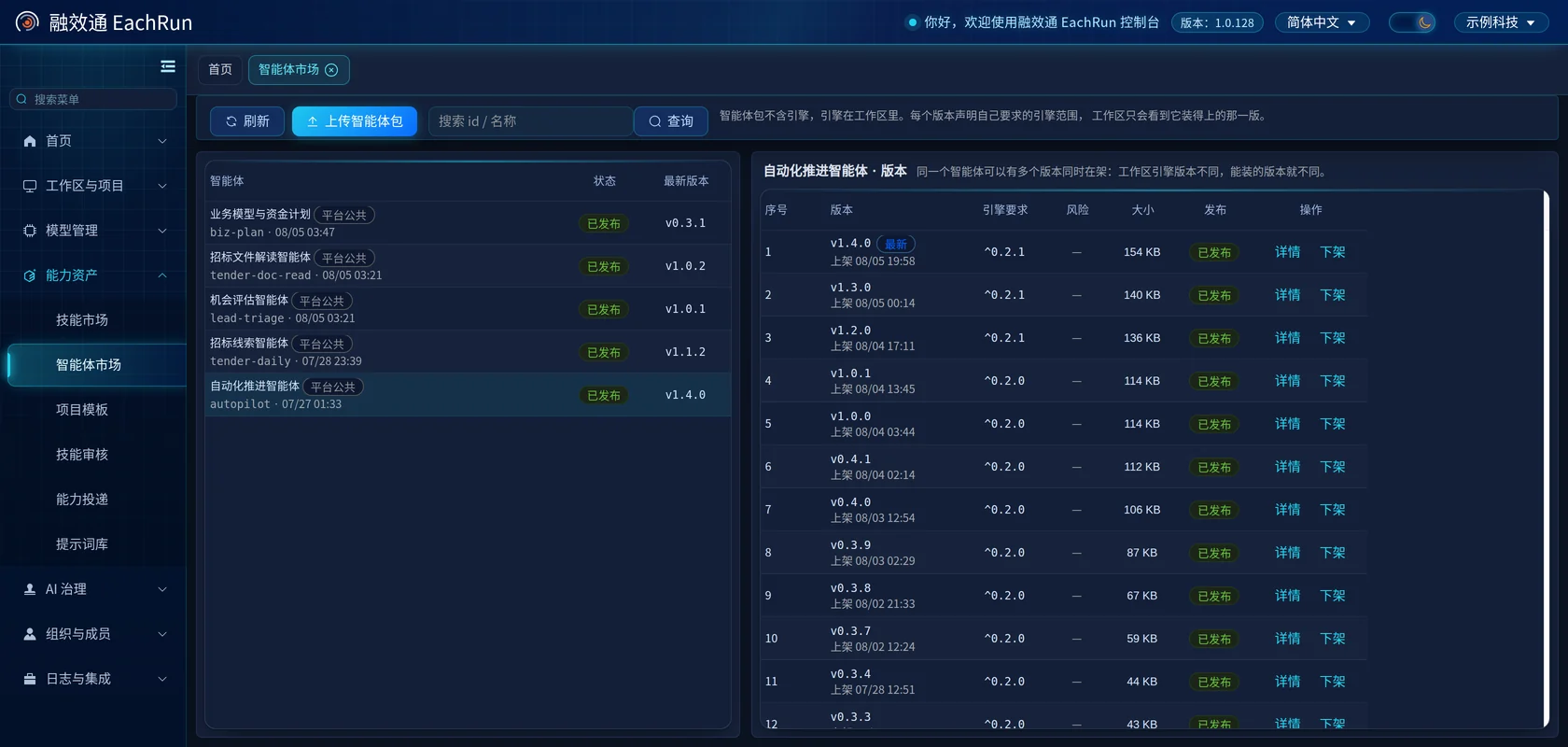
Agents are reviewed before listing, not uploaded at will. The platform administrator decides what reaches the market and what remains listed; a workspace installs what has been released to it. During a pilot we go through packaging, signing and version policy with the people who will maintain your agents.
Admin console
Administrators handle workspace resources, member access, model providers, approval requests and login records here.
On top of the core
The three things above decide whether you can open AI up at all. This layer decides whether people use it once you have: select a workflow and follow it, or bring in an AI team already divided by role. It is not required, but it governs how quickly AI spreads inside the company.
Workflows
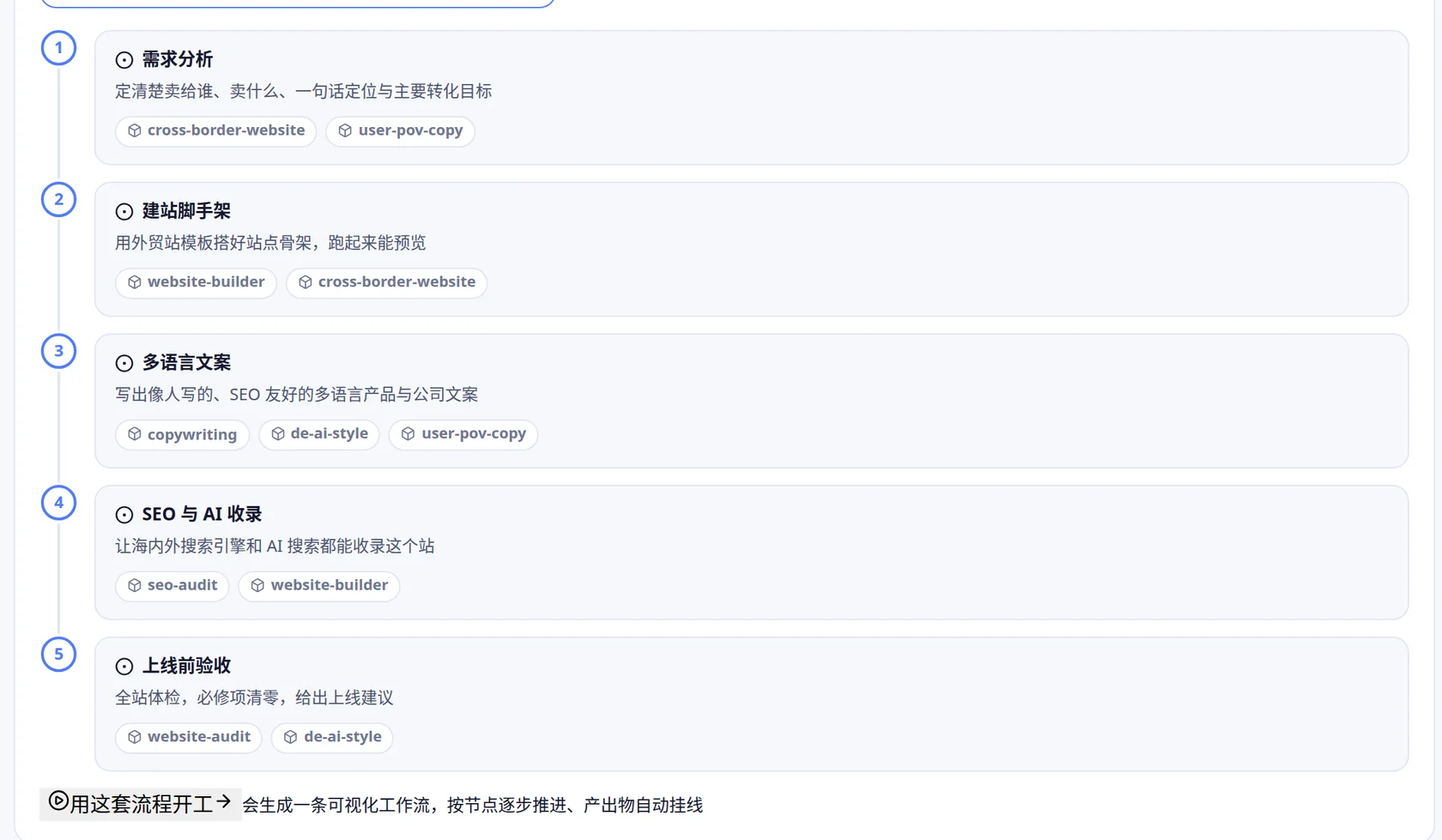
A workflow breaks the job into steps, and each step carries the skills that step needs. Starting one creates a visual workflow: nodes advance in order and the output is filed back to the project.
AI teams
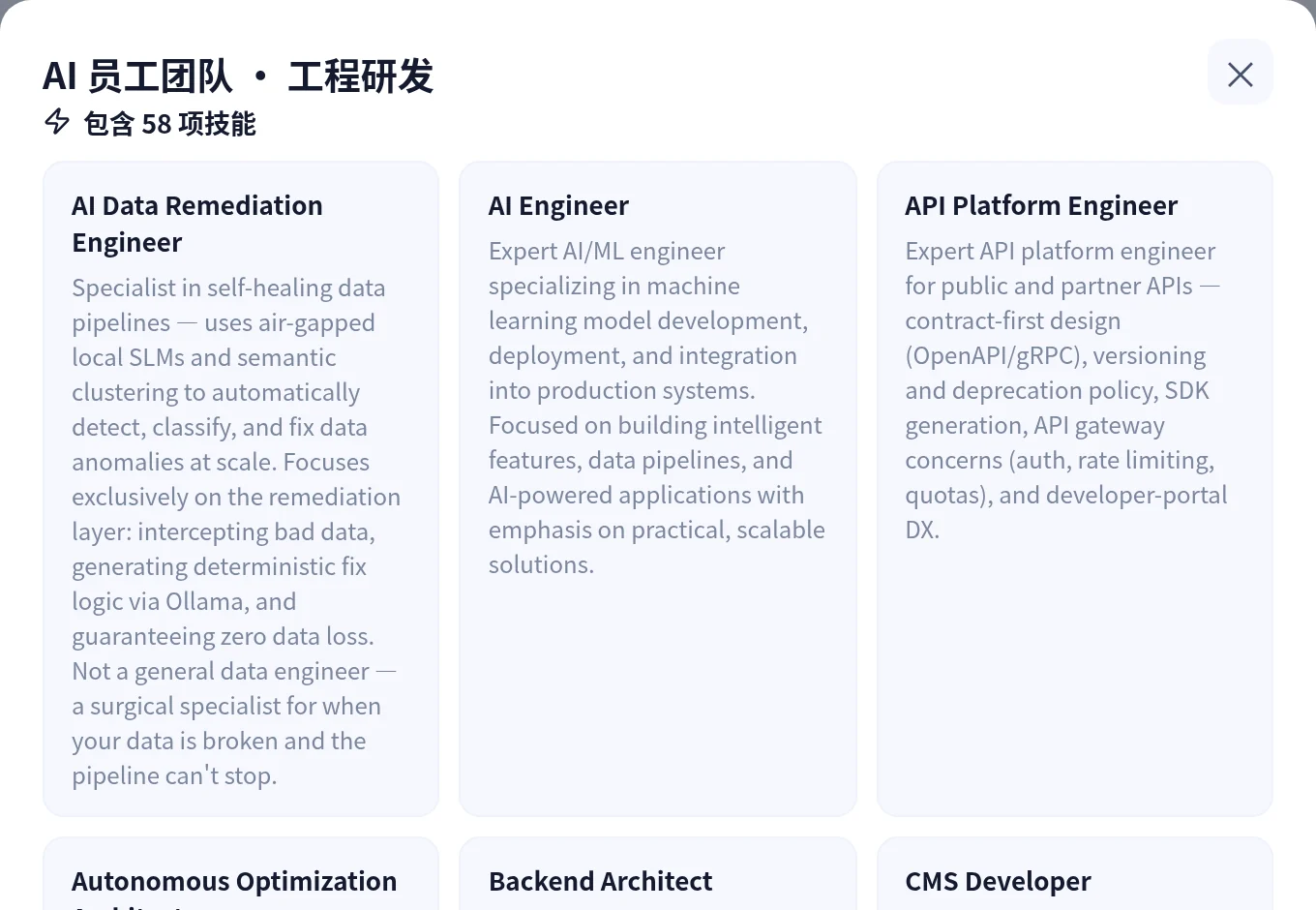
The capability market holds AI teams packaged by function, covering academic research, design, engineering, finance, healthcare and marketing. Each team is divided by role and carries the skills that kind of work requires.
Carried forward
On tasks with many steps, a supervising agent tracks progress and determines what happens next from the result of each step, with no one required to confirm each stage.
On a schedule
A proven workflow can be set to run on a schedule and file its results back to the project. Recurring work such as a daily search of tender notices no longer requires anyone assigned to it.
Reaching your systems
External services connect over MCP, allowing an agent to read and write a database or a line-of-business system for actual work on orders or stock. What connects, and how far it may reach, is settled system by system during the pilot.
Current product scope
Ready-to-use functions are listed separately from items that need on-site confirmation, so the implementation effort can be estimated.
Available now
Configuration-dependent
Permission prompts differ by agent and are configured for the deployment in use.
Confirmed in pilot
Technical access is not the same as a stable interface or commercial permission. Each item is checked before delivery.
Tell us what your team uses today and which data it touches, and we will walk the matching screens through one real task.